Tech Insights
Blackline G8 Update Treats Low Connectivity as an Operational Design Problem
Blackline Safety’s October G8 update adds Bluetooth headset support, a reduced communication setting, GPS improvements and manual time offsets. The deeper story is how connected devices behave when the network does not.
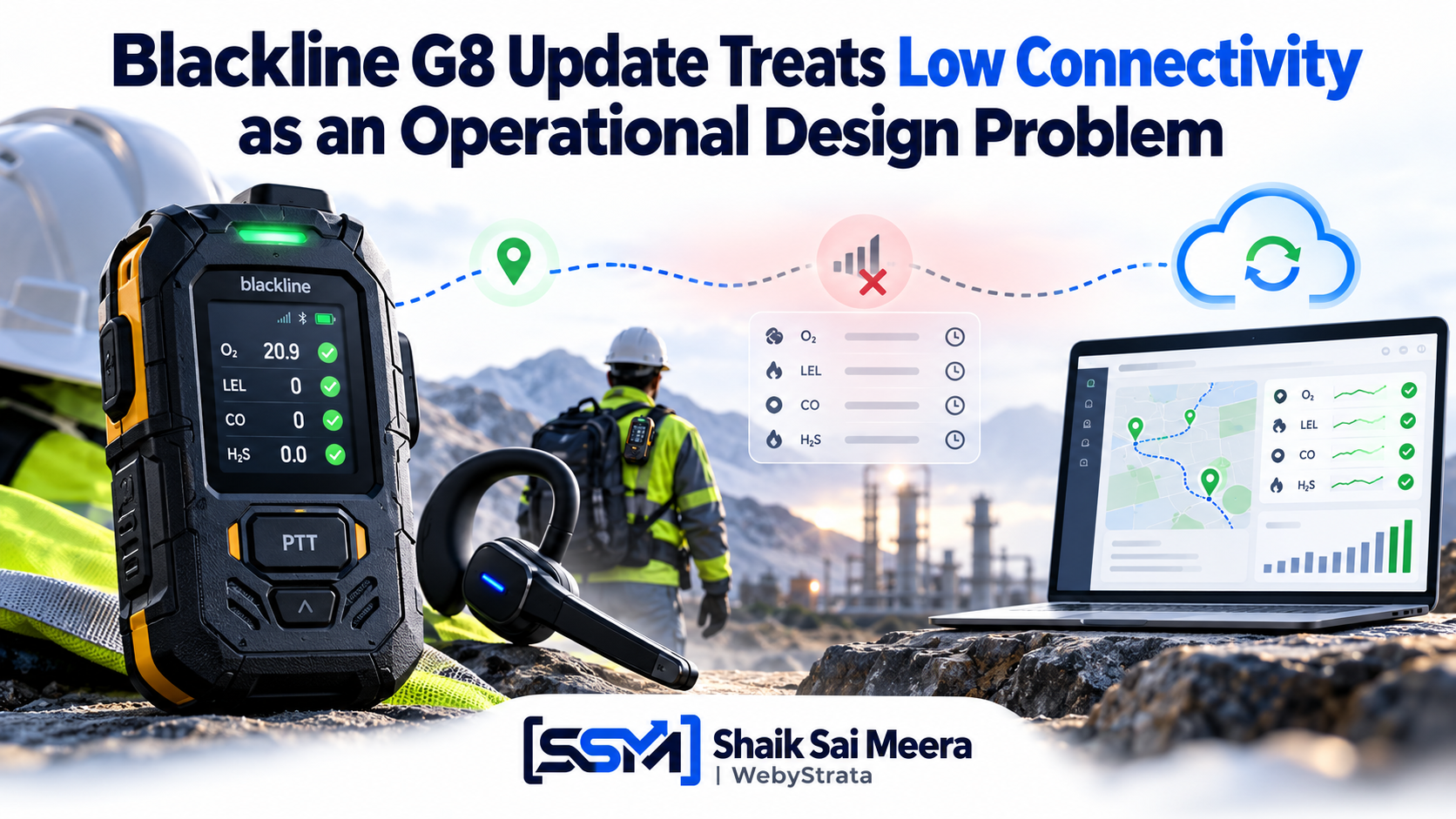
A connected device is easiest to appreciate when the connection works. The more revealing test begins when a worker enters a low-signal area, moves between sites or needs to communicate while wearing protective equipment. Blackline Safety’s G8 firmware 1.4 update, available October 27, 2026, is interesting because several of its changes deal with that less glamorous reality.
According to the company’s official October 2026 G8 release notes, the update adds Bluetooth headset support for push-to-talk and emergency voice calls, a Reduced Communication Frequency setting, GPS location improvements and a manual time offset. It also includes bug fixes and stability improvements.
The feature list is useful, but the design lesson is broader: field technology has to define what should happen when connectivity is intermittent. A device cannot treat every missing signal as a failure, especially when its job includes collecting readings, communicating clearly and reporting location over time.
Low connectivity is not the same as no data
Blackline’s notes say that, with Reduced Communication Frequency enabled, the G8 can connect to Blackline Live less often in low-connectivity areas. The company says devices store gas readings until they connect, while high-urgency events still trigger an immediate connection attempt.
That creates an important separation between ordinary telemetry and urgent events. Routine readings can wait for a better connection; a high-priority condition should not be treated as ordinary backlog. The product is not pretending the network is always available. It is assigning different timing expectations to different kinds of information.
For operators, this matters because a dashboard that shows “last seen” is not the same as a device that has stopped working. A short communication gap may be part of the system’s designed behavior. The monitoring workflow therefore needs to show when information was collected, when it was transmitted and whether the device is still attempting to reconnect.
The update also changes how people communicate in the field
Bluetooth headset support is available for push-to-talk and emergency voice calls. That is a practical change for workers in noisy environments or for people who need to keep hearing protection in place. A headset can make communication more usable without requiring the worker to hold the device close to the face.
The release notes also make a limitation explicit: Bluetooth headsets handle voice communication only. Gas alarms and device alerts still sound on the G8 and do not play through the headset. That distinction is more important than the headline feature. It keeps the communication accessory from being mistaken for a replacement for the device’s alerting behavior.
Teams evaluating the update should test both channels separately. Can a worker hear and answer a push-to-talk call? Can the worker still recognize an alert from the G8 itself while using the headset? Does the physical placement of the device make the alarm audible in the environment where it will be used?
GPS improvements are about the record, not just the map
Blackline says the update improves satellite location acquisition and resolves known GPS issues. Location data is often viewed as a live map feature, but in field operations it also becomes part of the event record. A location that arrives late, jumps unexpectedly or is unavailable at a critical moment can make a timeline harder to interpret.
That does not mean every GPS reading is perfect, or that the update guarantees a particular accuracy in every environment. Buildings, terrain, weather and device placement can all affect location behavior. The useful test is whether the new firmware produces a more consistent operational record in the places where the device is actually used.
Manual time offsets recognize messy deployments
The G8 update adds a manual time offset so the device clock can match local time when automatic time-zone detection is unavailable. This is a small control with a large interpretive benefit. A safety event, voice message or stored reading is easier to investigate when device time and the team’s local reference time agree.
Manual settings introduce their own trade-off: they need to be configured correctly and revisited when equipment moves between regions or projects. Administrators should document who sets the offset, which local time it represents and how a device is checked after a location change. A visible setting is useful only when the operating process around it is clear.
What the update suggests about resilient IoT design
The G8 firmware update is a compact example of resilient IoT design. Resilience is not simply adding more connectivity. It is deciding what the device should remember, what it should send immediately, what should remain audible locally and what operators should see when the cloud has not received a new update yet.
That same pattern appears in many connected systems: vehicles that cache telemetry, payment terminals that queue transactions, sensors that buffer readings and mobile applications that continue working offline. The product experience becomes more trustworthy when it explains the difference between “not yet synchronized” and “not functioning.”
A practical rollout checklist
Organizations considering the G8 update can keep the first test focused:
- Pair and test a supported Bluetooth headset for push-to-talk and emergency voice calls.
- Confirm that gas alarms and device alerts remain audible from the G8 while the headset is connected.
- Test Reduced Communication Frequency in a known low-connectivity area and confirm how queued readings appear after reconnection.
- Compare GPS behavior in the operating environments where location history matters.
- Set and document the manual time offset, then verify timestamps in the device and management view.
The meaningful question is not whether the update adds four features. It is whether the whole workflow remains understandable when the network is weak, the environment is noisy and the device has to keep doing useful work before it can report back.
Editorial note: This article is a general information summary based on the cited public sources. It is not legal, cybersecurity, or compliance advice.
Related Articles