Tech Insights
Netweb Launches Skylus Workspaces: What AI Teams Should Test Before Replacing Traditional VDI
Netweb Technologies has launched Skylus Workspaces, a platform that tries to stretch the enterprise workspace beyond the familiar virtual desktop. In its November 27, 2026 filing and press release, the Indian high-end computing company…
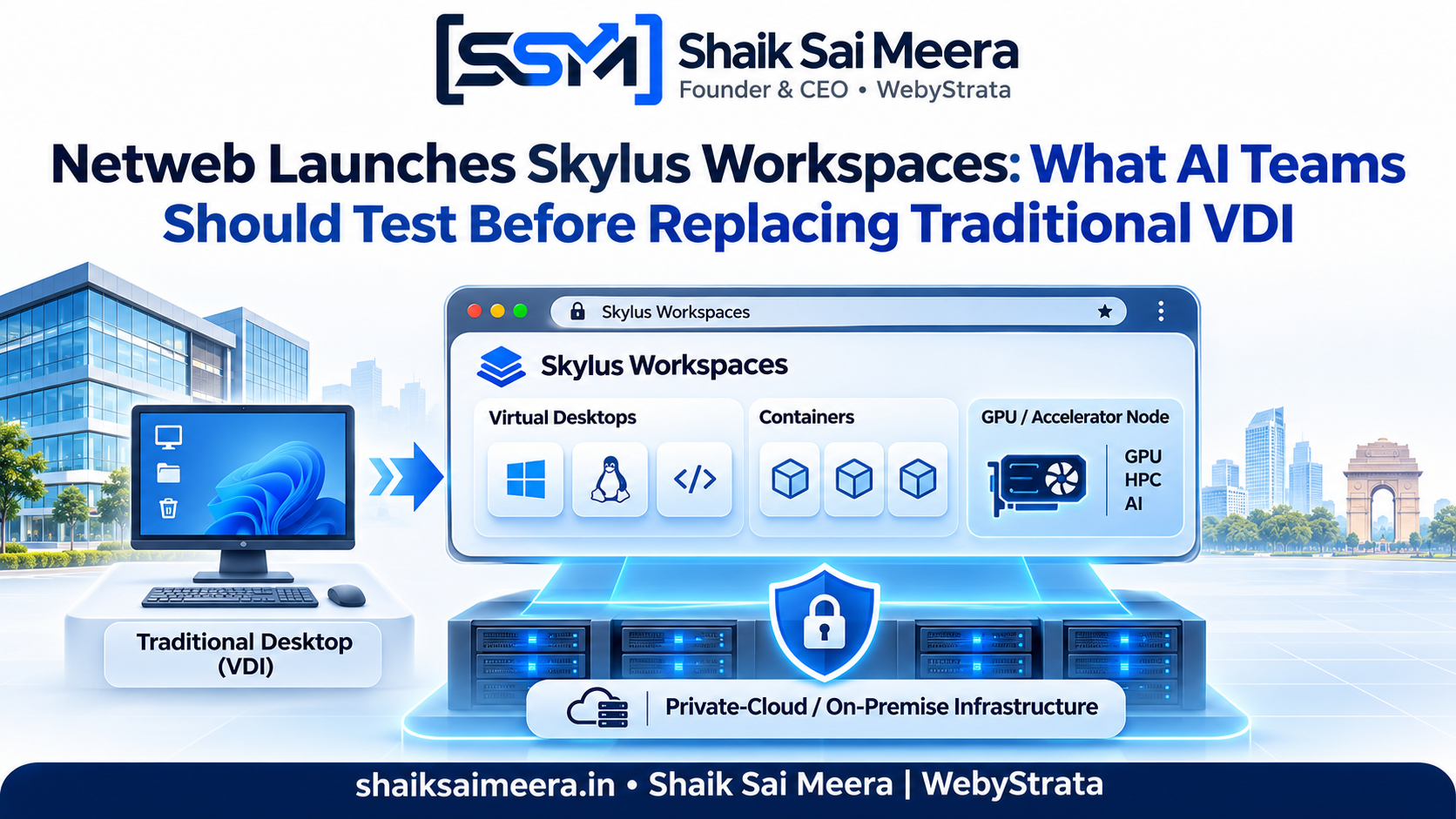
Netweb Technologies has launched Skylus Workspaces, a platform that tries to stretch the enterprise workspace beyond the familiar virtual desktop. In its November 27, 2026 filing and press release, the Indian high-end computing company describes a unified environment for virtual desktops, enterprise applications, containerised environments, and access to AI and high-performance computing resources.
That combination is the important part of the announcement. Traditional VDI is usually judged by how well it delivers a desktop or a line-of-business application. AI teams need something broader: governed access to data, development tools, GPU-backed environments, containers, and specialist software. Skylus Workspaces is positioned as an attempt to put those workloads behind one centrally managed access layer, with on-premises and private-cloud deployment options for organisations that want tighter control over infrastructure and data.
The launch is new, but the buying question is familiar: does a unified workspace reduce operational friction, or does it simply move complexity into a new control plane? Teams should treat Skylus as a platform to test against real workloads, not as an automatic replacement for an existing VDI or cloud desktop estate.
What Netweb says Skylus Workspaces includes
Netweb’s release lists four broad capability areas. First is a common workspace for Windows, Linux, virtual desktops, enterprise applications, and containerised environments. Second is access to GPU-enabled and other accelerated environments for developers, data scientists, engineers, and researchers. Third is intelligent resource management, including flexible allocation, shared infrastructure, automated provisioning, and session placement. Fourth is the user experience: browser-based access, adaptive streaming, and bandwidth optimisation for different devices, locations, and network conditions.
The company also highlights central administration, identity integration, role-based access controls, and granular data-protection policies. Those are the pieces that determine whether the product is usable in a regulated environment. A browser launch page is easy to demonstrate; proving that a contractor can access one approved dataset, one GPU pool, and nothing else is the harder test.
Why this matters for AI teams
AI adoption creates an awkward hardware split. A finance analyst may need a standard business application, while a machine-learning engineer needs a Linux environment and a GPU. A researcher may need a containerised notebook, while an external partner needs short-lived access to a controlled project. Giving every user a high-performance workstation is expensive and difficult to govern. Giving everyone the same generic desktop is cheaper to explain but poor for specialised work.
A workspace layer that can broker several environments could help organisations assign computing by role rather than by desk. For example, a data scientist might receive a Linux session with a time-limited GPU allocation and a mounted project workspace. A product manager might receive only the business applications and a browser-based dashboard. A vendor could receive a restricted container for a defined period. The promise is not that these environments become simple; it is that their access, provisioning, and policy decisions become visible in one place.
A practical pilot before replacing VDI
Start with one workflow that has a clear success measure. A reasonable pilot could include six people: two business users, two developers, one data scientist, and one external reviewer. Give each a different role profile, then test the same sequence over two weeks.
- Provision a standard business workspace and record time to first usable session.
- Provision a Linux container or development environment with a small GPU allocation.
- Let the external reviewer access only a project-specific environment with an expiry date.
- Revoke one user, rotate an identity provider group, and verify that access ends immediately.
- Measure session launch time, interactive latency, GPU utilisation, data-transfer volume, help-desk incidents, and administrator effort.
Do not judge the pilot only by whether a user can open a desktop. Check the controls around it. Can administrators see which environment is running, which identity opened it, which data path it used, and which policy allowed the action? Can a failed session be reproduced without handing an administrator broad access? Can the team export logs into its existing security-monitoring process?
The trade-offs to examine
The strongest argument for an on-premises or private-cloud workspace is control. Netweb says organisations can retain greater control over data residency, computing environments, access policies, and infrastructure. That can matter to banks, government bodies, healthcare providers, manufacturers, education institutions, and research organisations with residency or audit requirements.
Control also creates responsibility. A private deployment means the buyer must own capacity planning, patching, identity integration, backup, monitoring, network resilience, and recovery testing. Shared GPU infrastructure may improve utilisation, but it can also create queueing and noisy-neighbour problems. Browser-based access can simplify device support, yet interactive development and visual applications are sensitive to latency, codec behaviour, and the quality of the user’s network.
There is a second trade-off around platform concentration. If desktops, containers, enterprise applications, and AI resources all depend on one workspace layer, an outage or policy mistake can affect several teams at once. Buyers should ask how environments are exported, how policies are versioned, what happens during control-plane downtime, and whether workloads can be recovered on another infrastructure stack.
Questions to ask before a production decision
Ask for evidence rather than broad platform language. Request a reference architecture for the exact deployment model under consideration. Ask how identity federation, privileged access, secrets, network segmentation, and data-loss prevention are implemented. Ask whether GPU scheduling is quota-based, time-sliced, or dedicated, and how performance is reported to users. Ask what audit records are retained and how long they remain available.
For application and development teams, test the uncomfortable cases: a broken container image, a revoked user, a saturated GPU pool, an interrupted browser session, a large file transfer, and a dependency that requires direct network access. The platform’s value will be defined by how it handles those cases, not by its best-case demo.
Bottom line
Skylus Workspaces is a meaningful product launch because it reflects a shift in what “workspace” means in an AI-enabled organisation. The desktop remains part of the picture, but it now sits beside containers, accelerated compute, and governed data access. Netweb is betting that these resources should be delivered through one managed experience, particularly where private infrastructure and data control matter.
For technology leaders, the sensible next step is a measured pilot. Compare launch time, user experience, GPU efficiency, security evidence, recovery behaviour, and administrator workload with the VDI or cloud platform already in place. If Skylus can make specialised computing easier to deliver without weakening identity, audit, and exit controls, it may earn a place beside traditional desktop infrastructure. If it cannot, the organisation will have learned that the missing ingredient was not another workspace portal, but better workload and governance design.
This article is a general information summary based on the cited public sources. It is not legal, cybersecurity, or compliance advice.
Related Articles