hosting
Cloud Run’s November Java Security Update: Which Deployments Still Need a Rebuild
Google Cloud has published a November 20 security update for the Java runtimes used by Cloud Run. The important detail is not only the new version numbers; it is the split between workloads that…
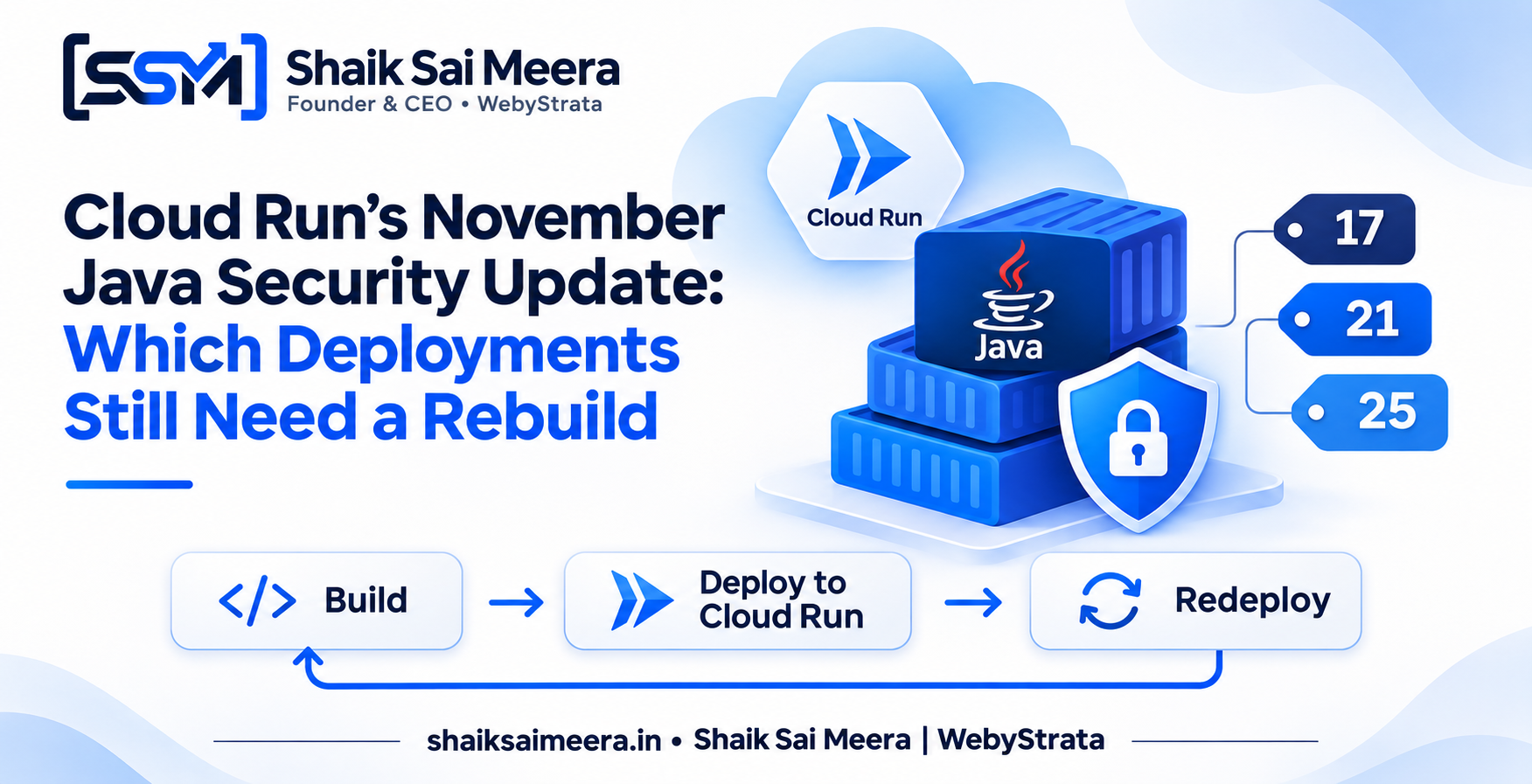
Google Cloud has published a November 20 security update for the Java runtimes used by Cloud Run. The important detail is not only the new version numbers; it is the split between workloads that receive an updated base image automatically and workloads that still depend on an operator-driven rebuild and redeploy.
For teams running Java APIs, scheduled jobs, or worker pools, that distinction determines whether the service is already protected, merely eligible for an automatic refresh, or still running the older runtime. The practical question for an on-call engineer in India is straightforward: what is deployed, how is it built, and when can the team safely force a new revision during an IST maintenance window?
What Google changed
In its Cloud Run release notes dated November 20, Google lists security updates for Java 17 and later. The patched versions are Java 17 17.0.21.1+2, Java 21 21.0.13.1+2, and Java 25 25.0.5.1+2. These are the versions Cloud Run operators should see as the target when they validate a runtime or rebuild a custom image.
The same note describes two different operational paths. Workloads with automatic base image updates enabled receive the patched runtime without a manual image rebuild. Google still recommends a redeploy when a team wants warm instances refreshed immediately. Custom containers, Cloud Run jobs, worker pools, and deployments without automatic base image updates require a rebuild and redeploy with a patched JDK or base image. After that, Google says to remove temporary JDK_JAVA_OPTIONS mitigation flags that were added for the issue.
Why “automatic” does not mean “nothing to check”
Automatic base image updates reduce maintenance work, but they do not erase the need for inventory and verification. A service built from source through a managed buildpack is operationally different from a service built with a Dockerfile and pushed to Artifact Registry. The first may consume a refreshed base image. The second can keep using the exact image digest that was built last week until the pipeline produces a new image.
Cloud Run jobs and worker pools deserve separate attention because they do not follow the same request-serving pattern as a typical service. A job may run only at 2:00 AM IST, while a worker pool can stay active for a long period. Both can be overlooked if the team checks only the production service list. A security patch is therefore also an inventory exercise: list services, jobs, worker pools, build methods, image digests, and Java versions before deciding that a fleet is covered.
A practical example
Imagine an order-processing platform with three Java workloads:
- A Java 21 HTTP service deployed from source with automatic base image updates enabled.
- A Java 17 Cloud Run job built from a pinned Dockerfile for nightly reconciliation.
- A Java 25 worker pool using a custom container and a long-lived staging revision.
The first workload may receive the patched runtime automatically, but the team should redeploy if it needs warm instances refreshed before the next traffic peak. The second and third workloads need an explicit rebuild with the new JDK or patched base image, followed by a deployment of a new revision or job configuration. If the Dockerfile contains a vendor image tag rather than a digest, the build should also confirm that the tag resolves to the intended patched image. If it uses a digest, changing the digest is part of the patch.
For a rollout scheduled at 11:30 PM IST, the operator can build the image, run the test suite, inspect the resulting Java version in a startup log, deploy with no production traffic, send a controlled request or test execution, and then shift traffic. A staged rollout keeps rollback available if a cryptography provider, TLS setting, certificate path, or library compatibility assumption changes.
What to check before redeploying
Start with the build path. Search the repository and deployment definitions for FROM lines, buildpack settings, Java toolchain files, and environment variables. Then identify whether the workload is a service, job, or worker pool. This matters because an apparently healthy HTTP endpoint does not prove that a dormant job is patched.
Next, verify the actual runtime rather than relying on a label. A small startup diagnostic can log the Java runtime version and image identifier to your normal observability system. For a custom container, check both the JDK version inside the image and the operating-system packages inherited from the base image. For a source deployment, confirm whether automatic base image updates are enabled and whether the new revision has actually been started.
Finally, look for temporary mitigations. If an earlier response added flags through JDK_JAVA_OPTIONS, record why they were introduced, remove them after the patched runtime is live, and test the application’s TLS, cryptographic, and startup behavior. Leaving emergency flags in place can create confusing differences between environments or mask the intended runtime behavior.
Trade-offs teams should expect
The safest response is not always the fastest possible redeploy. Rebuilding custom images can consume CI minutes, trigger vulnerability scanning, and require an approval window. A new JDK may also expose an application assumption that was previously hidden. That is a reason for staged testing, not a reason to postpone the patch indefinitely.
Automatic updates offer lower maintenance overhead, but they trade some image reproducibility for managed freshness. Teams with strict change-control requirements should document how automatic updates are detected, how warm instances are refreshed, and how a rollback works. Teams with pinned images get stronger reproducibility, but they own the work of refreshing the digest and proving that every execution path was redeployed.
A short Cloud Run checklist
- Inventory Java services, jobs, and worker pools, including inactive or scheduled workloads.
- Classify each workload as managed source deployment, custom container, or another build path.
- Target Java 17.0.21.1+2, 21.0.13.1+2, or 25.0.5.1+2 as appropriate for the application.
- Rebuild and redeploy custom containers, jobs, worker pools, and workloads without automatic base image updates.
- Redeploy automatically updated services when warm instances need an immediate refresh.
- Remove temporary
JDK_JAVA_OPTIONSmitigation flags after validation. - Record the new revision, image digest, runtime version, test result, and rollback path.
The larger lesson is useful beyond this specific Cloud Run bulletin: a managed runtime can shrink the patching burden, but only a clear inventory tells you where that protection ends. Treat the November entry as a prompt to verify the build pipeline, not simply as a version string to paste into a ticket. A short, evidence-based check during an IST maintenance window can turn an ambiguous “probably patched” state into a defensible one.
This article is a general information summary based on the cited public sources. It is not legal, cybersecurity, or compliance advice.
Related Articles