Tech Insights
Cloudflare Browser Run Moves to Chrome 152: What Changes for Agent Testing
Cloudflare says Browser Run now uses Chrome 152 by default, bringing updated web-platform behavior, root certificates, and request handling to browser automation and AI-agent workflows.
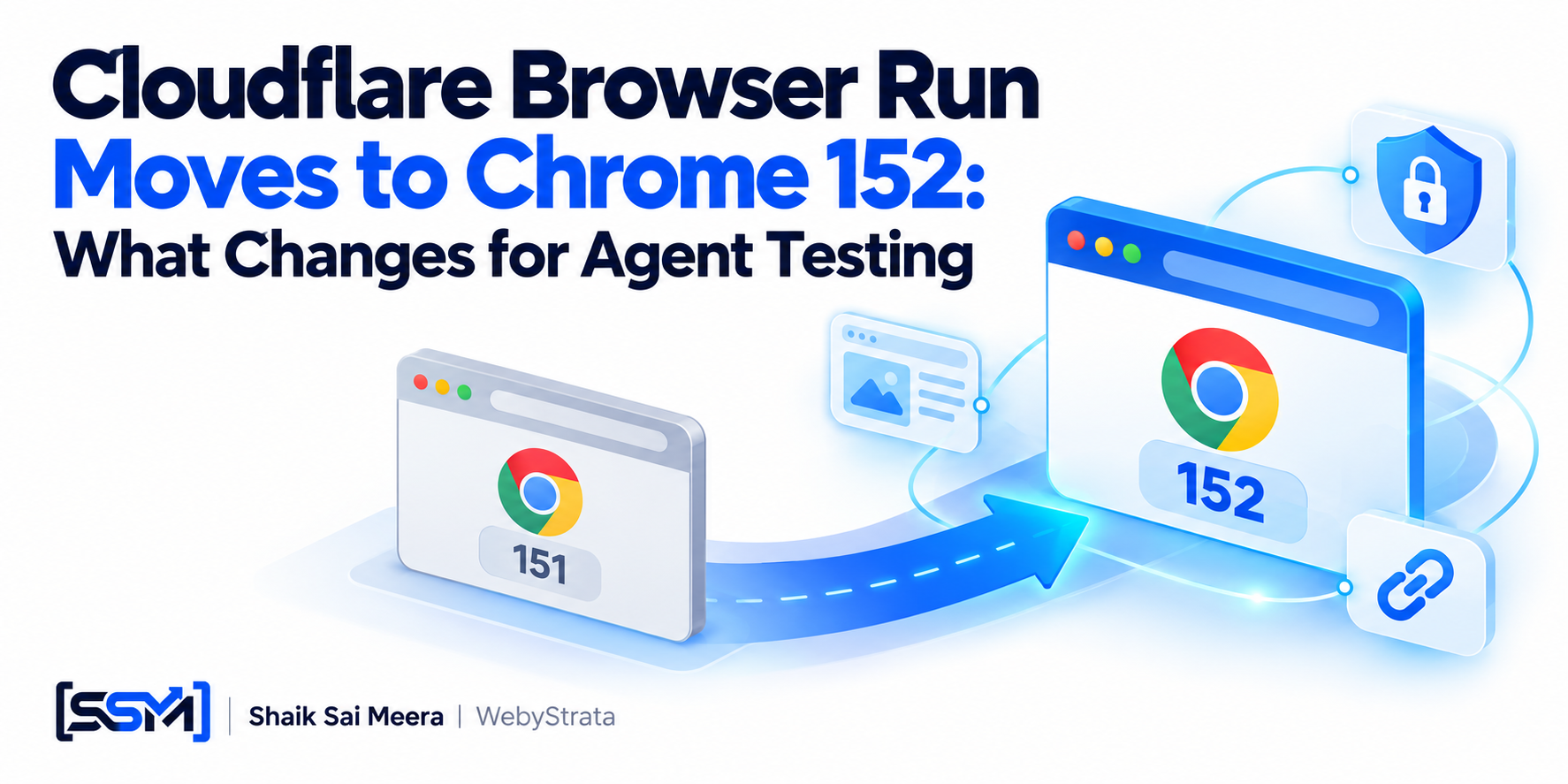
A browser automation job can fail for a reason that has nothing to do with your code: the browser behind the service is older than the browser you used to build the site. A changed rendering engine, a missing root certificate, or a different request header can turn a working test into a confusing false alarm.
Cloudflare has now moved that baseline forward. In its October 30, 2026 changelog, the company says Browser Run now uses Chrome 152 by default. The update affects browser sessions and Quick Actions, the HTTP-based endpoints used for tasks such as screenshots, PDF generation, Markdown extraction, link collection, and crawling.
The change matters most to teams using managed browsers inside CI pipelines, content workflows, and AI agents. It is not simply a version-number refresh: Cloudflare also lists changes to user-agent reporting, root certificates, relative-link crawling, response headers, and timeout behavior.
What changed in the default browser
Cloudflare describes Browser Run as headless Chrome running on its global network. The service supports two broad patterns: Quick Actions for stateless browser tasks and browser sessions controlled through tools such as Playwright, Puppeteer, or the Chrome DevTools Protocol. The Browser Run documentation lists these integration paths and the outputs they can produce.
With the October 30 change, new Browser Run requests use Chrome 152 by default. Existing code does not need to select a new browser version, but the runtime environment may now behave differently from the one behind earlier snapshots or test results.
For developers, the practical question is not whether Chrome 152 is newer. It is whether the new default changes the evidence your automation collects. A screenshot may render a component differently. A crawler may discover links it previously skipped. A site that checks the browser’s identity may see a different user-agent string. A request that depends on a certificate chain may now succeed because the trust store has changed.
The user-agent change can affect allowlists
Cloudflare says the default user-agent for Quick Actions now reports Chrome 152 instead of Chrome 119. That is useful because requests look more like traffic from a current browser, but it can also surface brittle rules.
Some systems allow or deny traffic by matching a browser user-agent. A monitoring endpoint may accept only a short list of known strings. A WAF rule, bot filter, or application route may classify the request based on the old value. After the change, those assumptions can break even though the request still comes from the same automation workflow.
Teams that maintain allowlists should search for hard-coded Chrome 119 references and decide whether the rule should instead use a broader, documented signal. If a service must identify Browser Run traffic, Cloudflare’s documentation on automatic request headers is a better starting point than relying on a browser version alone. The version will change again; an integration tied to a single number creates recurring maintenance.
Rendering and extraction get a more current baseline
Browser upgrades are especially visible in workflows that turn dynamic pages into artifacts. Quick Actions can capture screenshots, render PDFs, extract Markdown, collect links, and crawl content. A newer browser engine can change how modern CSS, JavaScript APIs, fonts, and client-side navigation are interpreted.
Cloudflare also says the update improves site compatibility. Pages that return large response headers now load correctly, and requests look more like those from a regular Chrome browser, reducing the chance that sites reject them solely because the automation environment appears unusual.
That does not mean every page will become compatible automatically. Browser rendering remains subject to the site’s own JavaScript, authentication, robots rules, network behavior, and timing. The better approach is to treat the new default as a new test baseline: rerun representative pages, compare the output, and record any differences before changing application code.
Relative links and Markdown output deserve a regression check
Two changes are particularly relevant to crawlers and documentation pipelines. Cloudflare says the /links endpoint now returns absolute URLs, and links-only crawls now follow relative links. That can improve downstream processing because a consumer no longer needs to reconstruct every relative path itself.
It can also alter output in subtle ways. A parser that expected a relative value may now receive a complete URL. A crawler that previously stopped at a page boundary may follow links it could not resolve before. If your pipeline deduplicates, filters, or stores links based on their exact string form, add a regression test for both absolute and relative inputs.
The update also keeps code-block language labels in Markdown and makes Quick Actions timeout errors more consistent. Those are small changes, but they matter when a documentation workflow feeds generated Markdown into another tool. More predictable output makes failures easier to classify, while changed output still requires consumers to be tolerant of the new shape.
Updated root certificates change trust behavior
Cloudflare says Browser Run removed distrusted root certificates from its trust store. That is a security and compatibility change at the same time: a site using a certificate chain that depends on a removed root may stop loading, while a site that should no longer be trusted may be rejected as expected.
For ordinary public websites, this should be an invisible improvement. For internal systems, staging environments, and test endpoints, it is a reminder that a managed browser has its own trust store. A certificate that works on a developer laptop may not work in Browser Run, and a private certificate authority may need an explicit supported integration rather than an assumption that the browser inherits local trust.
Use a controlled test page to distinguish an application failure from a trust-chain failure. Confirm the complete chain served by the endpoint, then compare behavior with another current browser. Avoid weakening certificate validation just to make a test pass; the point of the managed browser is to expose the conditions a real current browser is expected to enforce.
What AI-agent builders should test first
Cloudflare positions Browser Run for browser automation, scraping, testing, content generation, and AI-agent browsing. That makes the Chrome 152 change relevant to agents that navigate pages, extract data, or inspect a web application through Playwright, CDP, or MCP-based integrations.
An agent can appear to improve simply because the browser now renders a page correctly, or appear to regress because an allowlist rejects the new user-agent. The safest way to evaluate the update is to test the agent’s observable contract rather than its internal assumptions:
- Capture a screenshot and compare layout-critical regions.
- Check that login, navigation, and client-side routing still complete.
- Verify that relative links become the expected absolute links.
- Exercise pages with large response headers and streaming content.
- Test certificate chains used by staging or internal services.
- Record timeout errors and confirm your retry logic handles the new format.
These checks are useful even when the application itself is unchanged. Managed browser updates can change the environment around the code, and environment changes are part of the behavior an automation pipeline must own.
The trade-off: fresher browsers, less implicit stability
A current browser improves compatibility with the modern web and reduces the risk of testing against an obsolete engine. The trade-off is that “default” no longer means “unchanging.” A managed service can update the browser, trust store, headers, and output behavior without requiring every team to select a version manually.
That is a reasonable model for production-like browser automation, but it argues for explicit baselines in critical pipelines. Keep a small set of golden pages, compare artifacts over time, and make your parsers tolerant of harmless representation changes. When a workflow needs long-term reproducibility, store the inputs and outputs needed to reproduce a result instead of assuming the provider’s default browser will remain identical forever.
What this means in practice
Cloudflare’s Browser Run update gives developers a newer and more realistic browser baseline for automation, while also changing several details that integrations often take for granted. The main task is not to rewrite every workflow. It is to identify the assumptions that were hidden inside the old environment: browser version checks, trust stores, link formats, response sizes, and timeout parsing.
Once those assumptions are visible, the upgrade becomes useful rather than surprising. Your tests can reflect a current browser, your agents can browse a more compatible web, and your pipelines can document which parts of the environment are stable by design and which are expected to evolve.
This article is a general information summary based on the cited public sources. It is not legal, cybersecurity, or compliance advice.
Related Articles