Tech Insights
Piwigo 17 Beta1 Brings Macadamia Theme, People Management and Global Admin Search
Piwigo has opened the next stage of its self-hosted photo-management roadmap with Piwigo 17.0.0beta1. The release is aimed at beta testers, but its direction is already clear: make large personal and organizational libraries easier…
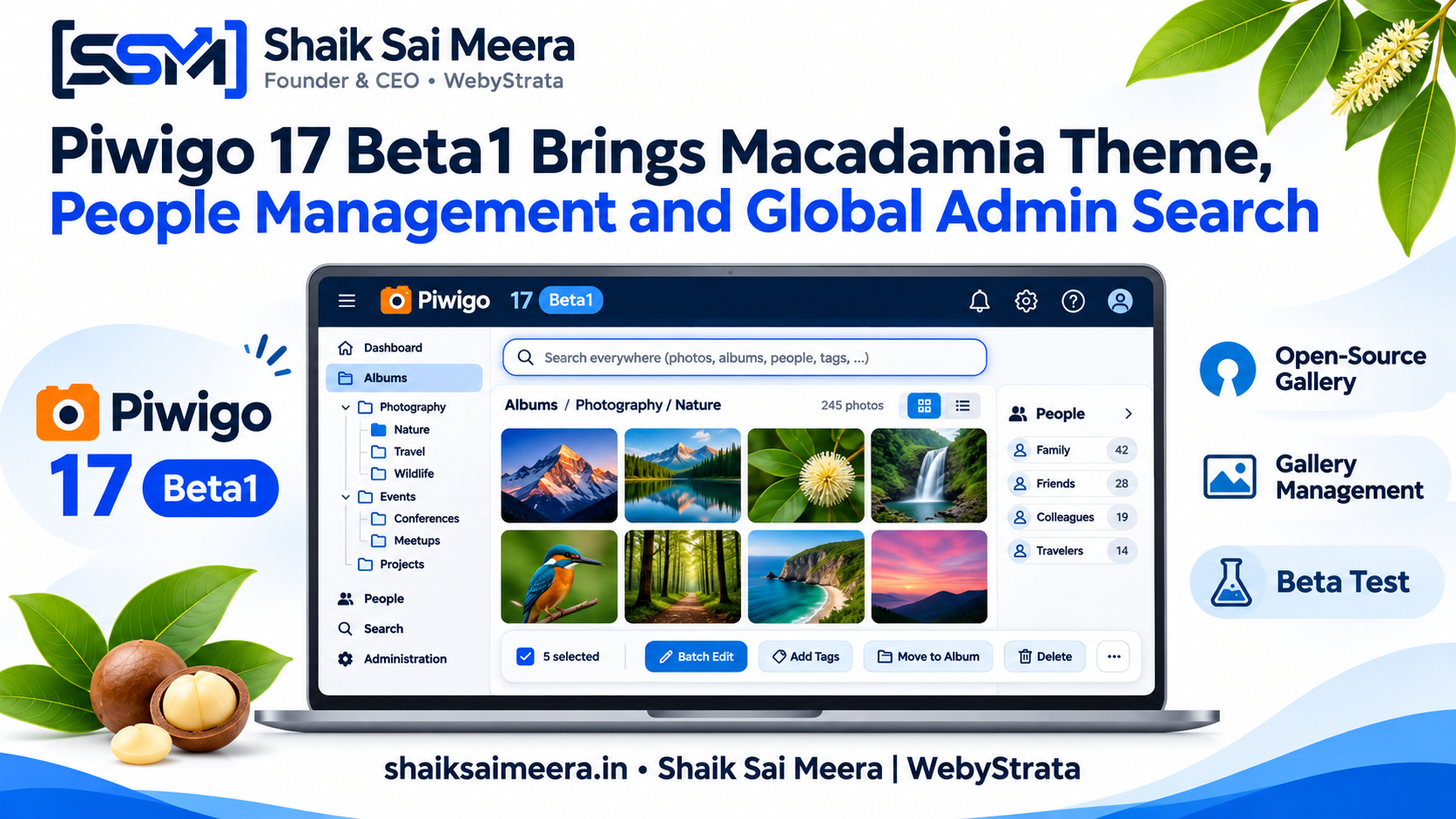
Piwigo has opened the next stage of its self-hosted photo-management roadmap with Piwigo 17.0.0beta1. The release is aimed at beta testers, but its direction is already clear: make large personal and organizational libraries easier to navigate without forcing users to abandon the open-source model that keeps their media on infrastructure they control.
The announcement, published on November 28, 2026, centers on three changes that will matter most in daily administration: a new Macadamia theme, a dedicated people-management system, and global search inside the administration area. It also adds faster batch editing, more useful filters, and an installation flow that can recommend extensions. For teams running Piwigo on shared hosting, a VPS, or a private server, this is a release to test deliberately rather than install casually.
What is new in Piwigo 17 beta1?
The official Piwigo 17.0.0beta1 announcement describes a focused set of workflow improvements:
- Macadamia theme: the new theme brings a refreshed interface, three thumbnails per album, a dedicated album-tree page, a yearly calendar, full-screen mode, and multiple colour schemes.
- People management: people become a first-class library object, similar to tags but with their own administration interface and gallery navigation.
- Global administration search: administrators can search albums, photos, tags, and people from one interface instead of moving between separate screens.
- More powerful batch work: the Batch Manager can apply a title, description, and tags to a selected group of photos in one action. New filters cover file type, date added, and creation date.
- Updated installation form: the installer checks more technical requirements and offers a second step for recommended extensions, including plugins and themes.
That list is intentionally practical. Piwigo is not presenting a new social network or a cloud-only library. It is reducing the administrative friction that appears when a gallery grows from a few hundred images into a working archive with albums, metadata, contributors, and recurring imports.
Why global admin search matters
Photo systems often become difficult to maintain before they become difficult to use. A gallery administrator may know that an album exists, remember part of a tag, or recognize a person’s name, but not remember which screen contains the record. Search across albums, photos, tags, and people changes the task from “remember the structure” to “describe what I am looking for.”
For a nonprofit documenting field work, for example, one administrator could search for a person and then confirm which albums and photos need review. A communications team could locate all images carrying a campaign tag before changing descriptions or permissions. The value is not just speed; it is a lower cognitive load for volunteers who only manage the gallery occasionally.
People are not just another tag
Tags are useful for topics such as “conference,” “mountain,” or “product launch.” People require a different workflow because names are often reused, misspelled, or attached to multiple events over several years. Piwigo 17 beta1 gives people their own management interface and navigation, which should make it easier to curate a consistent identity record rather than maintain a loose collection of name tags.
That distinction also creates a governance question. A person index can be valuable for family archives, schools, clubs, and internal media libraries, but it can increase the sensitivity of the data being stored. Before enabling it on a public gallery, decide who can search people, whether names should be visible to visitors, and how requests to correct or remove a person’s association will be handled. The feature is a tool; the privacy policy still belongs to the site owner.
A practical test plan for self-hosted operators
Do not begin with production. Create a copy of the gallery database and media directory, then install the beta in a disposable environment that mirrors the production PHP version, database engine, web server, and enabled extensions. Keep the test instance behind authentication while you assess the new interface.
Use a representative sample rather than a blank gallery. Include nested albums, images with existing tags, dates from different years, multiple file types, and several people whose names overlap. Then run five checks:
- Search for an album, tag, photo, and person from the new administration search and confirm each result opens the correct record.
- Use the Batch Manager to update a small selection with a title, description, and tags, then verify the change through the gallery and any API or export workflow you use.
- Filter by file type, date added, and creation date to make sure the results match the archive’s known contents.
- Switch to the Macadamia theme and test album browsing, the calendar, full-screen mode, mobile layout, and every colour scheme you plan to offer.
- Run the installer’s extension recommendation step on a fresh copy and record exactly what it proposes before enabling anything on production.
Keep a rollback path. Back up the database and configuration, preserve the previous application files, and document the extension versions that worked before the beta. If the gallery is business-critical, schedule the test and any later upgrade outside a major publishing deadline.
Trade-offs of testing a beta
The benefit is early access to a more coherent workflow and a chance to report problems before the stable release. The cost is uncertainty. Themes and plugins may need adjustments, translations may be incomplete, and the new people model could expose assumptions in custom templates or metadata integrations. A feature that looks correct on a small sample may behave differently on a library with hundreds of thousands of files.
There is also a product decision hidden in the new installer. Recommended extensions can make Piwigo easier for new users, but they can also encourage a larger software footprint. Review every proposed plugin, confirm its maintenance status and permissions, and install only what the gallery actually needs. Self-hosting gives you control, but it also makes dependency review part of normal operations.
Who should test Piwigo 17 now?
Beta testing makes the most sense for maintainers who already have backups, a staging environment, and a clear way to report regressions. It is especially relevant to teams whose current pain is administration rather than storage: volunteer-run archives, schools, clubs, documentation groups, and photographers with large local collections.
For a simple public gallery that is working well, there is no need to rush. Wait for compatibility reports from the extensions you rely on, then plan a measured upgrade. For everyone else, Piwigo 17 beta1 is worth exploring because it improves the places where a mature photo library usually becomes slow: finding records, maintaining metadata, and keeping the interface understandable as the archive expands.
This article is a general information summary based on the cited public sources. It is not legal, cybersecurity, or compliance advice.
Related Articles