cybersecurity
Deep Security Manager 20.0.1203 Ships with CVSS 10 Fixes: What Linux and Windows Teams Should Test Now
As of 25 November 2026 (IST), Trend Micro has published Deep Security Manager 20.0.1203, a monthly LTS update that combines new platform coverage with security fixes rated up to CVSS 10. The release adds…
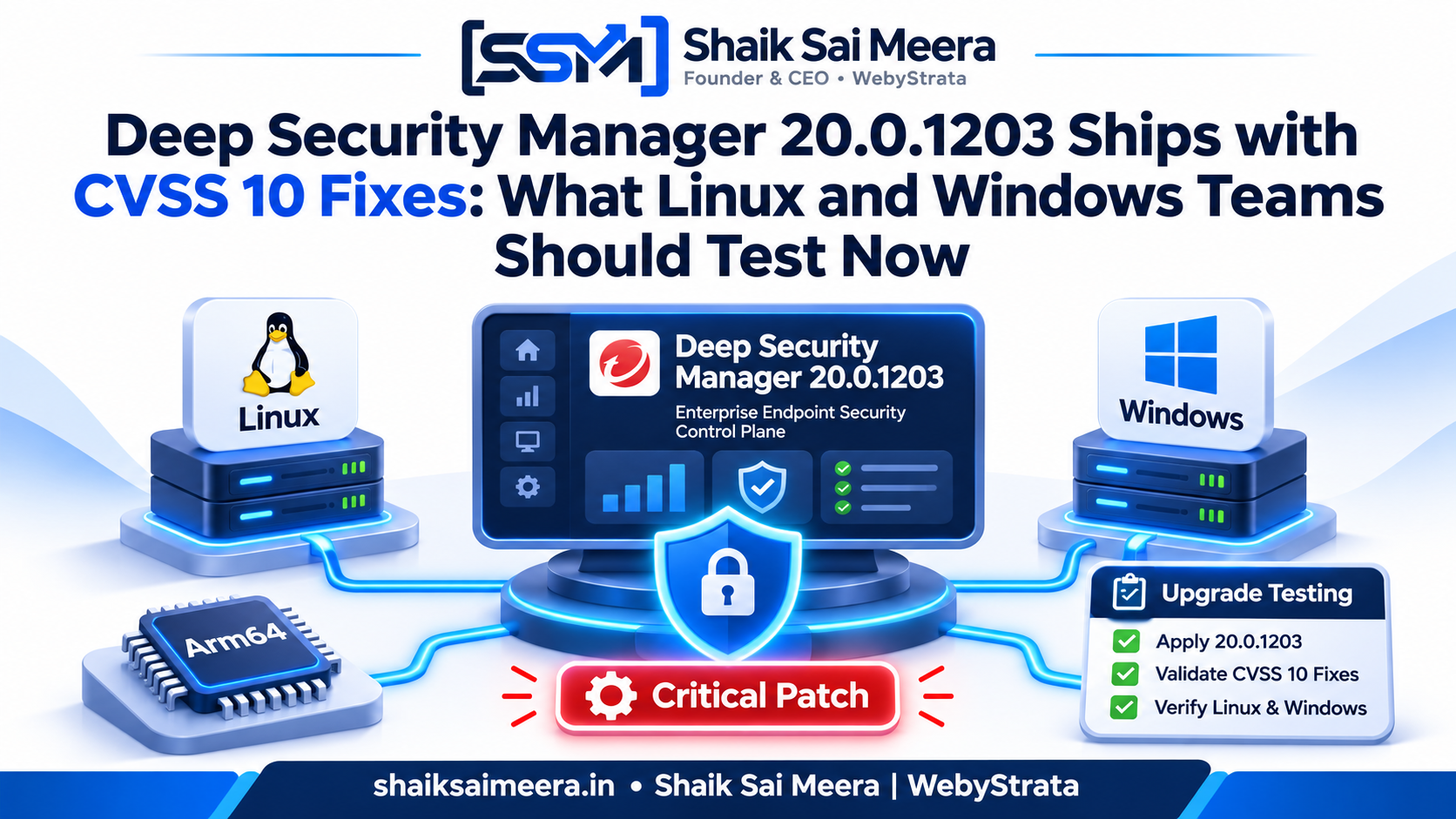
As of 25 November 2026 (IST), Trend Micro has published Deep Security Manager 20.0.1203, a monthly LTS update that combines new platform coverage with security fixes rated up to CVSS 10. The release adds support for Windows 11 version 26H2, including Arm64, CentOS 9, and Ubuntu Linux 26.04 Arm64. It also updates the way the manager retrieves company information from TrendAI Vision One and fixes a certificate-management interface problem.
The important operational point is the severity of the security portion, not just the feature list. Trend Micro’s release notes list several security updates for build 20.0.1203 and identify the highest CVSS score as 10.0, with the highest severity marked Critical. The notes do not publish full CVE details for every fix, so administrators should treat the manager update as a priority while avoiding assumptions about which systems are affected until the vendor’s guidance and local deployment evidence are reviewed.
Why this update matters beyond the manager console
Deep Security Manager is a control plane. A problem in it can affect how policies, agents, events, certificates, and integrations are administered across protected servers. That makes the update different from a routine workstation application patch: the manager may sit on a sensitive administration network, connect to cloud services, and hold the authority to change protection settings on many systems.
The new platform support is also timely for mixed estates. Windows 11 version 26H2 and Ubuntu Linux 26.04 Arm64 create a realistic combination of x86_64 and Arm workloads in cloud, edge, developer, and branch environments. Teams that have been using compatibility workarounds or delaying agent rollout on Arm hosts should use this release to reassess their support matrix. Compatibility is useful, but it is not proof that an upgrade is safe for every policy, integration, or workload.
Start with exposure, not a blind upgrade
Before changing production, identify every Deep Security Manager instance and answer five questions:
- Which manager build is running, and is it a single node, a clustered deployment, or a disaster-recovery standby?
- Which agents, relays, appliances, and cloud connectors depend on it?
- Is the management interface reachable from user networks, the public internet, or only a restricted administration segment?
- Which identity, certificate, Vision One, SIEM, ticketing, backup, and reporting integrations are business-critical?
- Who owns the rollback decision if registration, policy delivery, or event forwarding fails?
Do not rely on an asset inventory alone. Confirm the running manager version from the console or host, record the database and configuration backup locations, and check whether an older standby could be promoted during the maintenance window. The goal is to turn a product name into an owned dependency map.
A practical staging test
Suppose a team runs one manager for 420 Windows servers and 80 Linux servers, with a smaller Arm64 Ubuntu fleet in a new analytics environment. A useful test plan is:
- Back up and validate recovery. Take the manager and database backups required by the deployment design, then verify that the files are readable and that the team knows the restore procedure.
- Clone representative policy groups. Include a Windows 11 26H2 endpoint, a conventional x86_64 Linux server, an Ubuntu Linux 26.04 Arm64 host, and a server with stricter intrusion-prevention or application-control rules.
- Upgrade the manager in isolation. Confirm service health, administrator login, database connectivity, certificate loading, agent registration, policy assignment, and event ingestion before testing the wider fleet.
- Exercise integrations. Generate a safe test event and verify that Vision One, SIEM, email, ticketing, reporting, and API consumers still receive the expected fields. Pay attention to authentication errors and certificate trust failures.
- Test the control path. Change a non-critical policy, deliver it to a test agent, confirm the result on the endpoint, and then return the policy to its baseline.
- Measure recovery. Test manager restart, agent reconnection, relay behavior, and the documented rollback or restore path. Record how long each step takes.
This approach catches problems that a successful installer cannot: expired or mismatched certificates, API changes, blocked outbound routes, unsupported agent combinations, and policy delivery delays.
What to check on Arm64 and Windows 11 26H2
New platform support should be validated at the agent and workload level. On Ubuntu Linux 26.04 Arm64, check kernel and package compatibility, boot persistence, CPU overhead, network inspection behavior, file and process monitoring, and any exclusions used by the application. Compare performance against an equivalent x86_64 host rather than assuming that a successful installation means equal protection or equal cost.
For Windows 11 version 26H2, test endpoint registration after reboot, network-location changes, sleep and resume behavior, certificate renewal, software-update workflows, and interactions with security baselines. If devices are managed by another platform, confirm that its restart, tamper-protection, and application-control rules do not conflict with the agent update.
Trade-offs and rollout choices
Fast patching reduces exposure to a critical manager-side issue, but a rushed control-plane upgrade can interrupt policy administration at the wrong moment. A long change freeze reduces operational risk but leaves the security update unapplied. The balanced choice is a short, owned canary: restrict management access, upgrade a recovery-tested staging or secondary instance, validate the control path, then move to production in waves.
Teams should also separate manager urgency from agent urgency. The release notes describe a manager update, while agent versions and platform support can follow their own release schedule. Confirm the supported upgrade path for each component before changing agents. Keep the manager update, agent changes, and policy changes as separate change records so a failure has a clear rollback boundary.
Takeaways
Deep Security Manager 20.0.1203 deserves prompt review because Trend Micro lists a CVSS 10 security issue among the release’s fixes. The safest next step is not an untested fleet-wide command. Inventory the management plane, validate backups, stage the update against Windows 11 26H2 and Ubuntu Linux 26.04 Arm64 representatives, exercise certificates and integrations, and roll out in measured waves. The new platform coverage is valuable, but the critical security update is the reason to make the maintenance window a priority.
This article is a general information summary based on the cited public sources. It is not legal, cybersecurity, or compliance advice.
Related Articles