Tech Insights
Google Cloud’s Z4M Makes Local SSD and RDMA a Bigger Part of the AI Stack
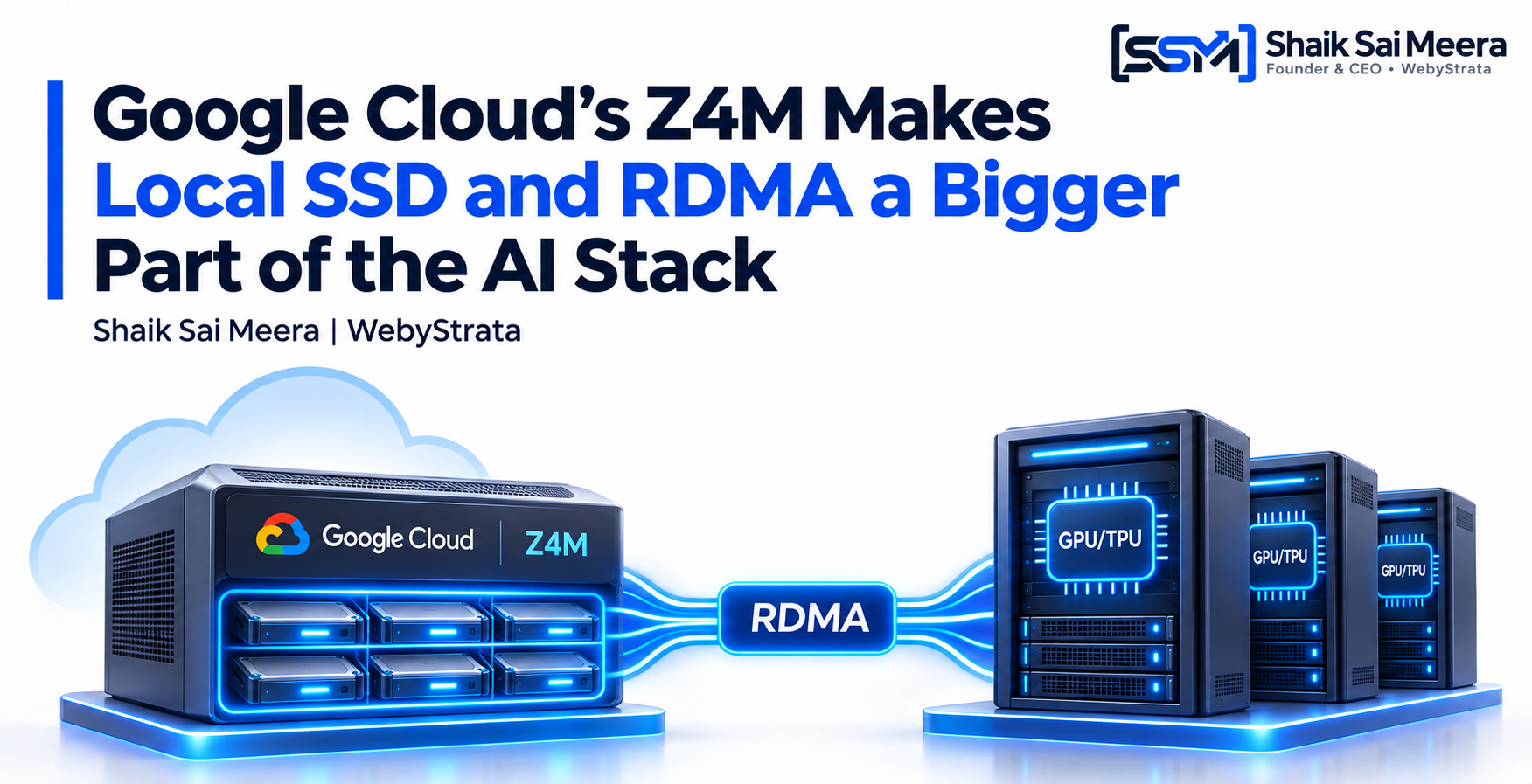
Google Cloud has made its Z4M storage-optimized machine series generally available, pairing dense local SSD with 400 Gbps RDMA for data-heavy AI, database, and parallel-file workloads.
AI infrastructure is often described as a race for faster accelerators. In practice, a model can still wait when the data pipeline cannot feed it quickly enough. Checkpoints, distributed key-value caches, multimodal datasets, vector indexes, and parallel file systems all put pressure on the storage and network layers around the GPU or TPU.
Google Cloud is addressing that part of the stack with the general availability of its Z4M storage-optimized machine series. In its November 6, 2026 announcement, Google Cloud described Z4M as a platform for AI/ML training and inference, parallel file systems, enterprise databases, and other workloads that need both high local storage density and high-throughput networking.
The important change is not simply a larger virtual machine. Z4M makes local storage and low-latency data movement central design choices for workloads that would otherwise spend time waiting on remote storage or conventional TCP networking.
Why storage becomes an AI bottleneck
Training and inference systems move more data than a typical application server. A training job may repeatedly write and read checkpoints. An inference service may maintain a distributed key-value cache so that long-context requests do not repeatedly recompute the same information. A multimodal pipeline may stream large image, audio, and video datasets while several workers process different parts of the same batch.
When the storage path is slow or unpredictable, expensive accelerators can be underused. Teams may respond by adding more caching, copying datasets between layers, or overprovisioning compute to hide the delay. Those workarounds can help, but they also add operational complexity and make capacity planning harder.
Z4M is designed around the opposite assumption: give the compute node a large, fast local data layer and a network path that can keep distributed workers supplied with data.
What Google Cloud is making generally available
Google Cloud says Z4M is available as both virtual machine and bare-metal instances. The series offers up to 168,000 GiB of Local SSD storage, up to 192 vCPUs, and up to 1,536 GiB of memory. Its storage density reaches 875 GiB of Local SSD per vCPU, which is aimed at workloads where capacity and I/O matter as much as raw CPU count.
The machines also provide up to 400 Gbps of Cloud Remote Direct Memory Access, or RDMA. RDMA allows data to move between systems with less CPU involvement and lower access latency than a conventional TCP path. Google reports that RDMA can reduce data-access latency by up to 60% compared with TCP networking for the workloads it describes.
On the storage side, Google reports up to 15.6 million random-read IOPS and up to 75,600 MiB/s of sequential-read throughput. Those are vendor-published figures, not a guarantee for every application. Actual results depend on the workload, software stack, data layout, concurrency, and configuration.
The before-and-after for a data-heavy cluster
Consider a distributed inference service that uses accelerators for model execution but keeps a large key-value cache on the host layer. In a conventional design, the cache may rely heavily on network-attached storage. That can simplify persistence and sharing, but each request competes for network and storage bandwidth with other workers.
A Z4M-based design can keep more of that working set on local SSD while using RDMA to move data between nodes at high throughput. The result is not automatically a faster model. The practical benefit is that the system has more room to keep accelerators busy when the application is limited by cache reads, checkpoint traffic, or dataset movement.
The same pattern applies to a database with an unusually high read rate, a parallel file system serving many workers, or an analytics pipeline that repeatedly scans large local datasets. The machine is valuable when the data path is the constraint. It is less compelling when an application is mostly CPU-bound, lightly loaded, or already satisfied with ordinary network storage.
Where bare metal changes the trade-off
Google Cloud is offering Z4M in bare-metal form as well as VMs. Bare metal removes the virtualization layer, which can help workloads that need direct hardware access, custom hypervisors, or specific licensing arrangements. Google also highlights isolated sandboxes for agentic AI workloads, including deployments with Agent Substrate.
That flexibility comes with a cost: bare-metal capacity is not a drop-in replacement for every VM workflow. Teams need to think about provisioning time, maintenance events, host-level operations, and how the application handles restarts. Google says Z4M bare-metal instances must be terminated and restarted during planned maintenance, while smaller Z4M VMs with up to 42,000 GiB of Local SSD can be live-migrated. Larger VMs also require planned termination and restart.
Local SSD is powerful, but it is not the whole storage strategy
Local SSD is useful for fast working data, scratch space, caches, and temporary checkpoints. It should not be treated as the only copy of important data. The right design usually separates durable data from high-speed working sets: durable storage holds the authoritative copy, while local SSD accelerates the part of the workflow that benefits from low latency.
Z4M also supports Google Cloud Hyperdisk options, including Balanced, Throughput, and Extreme. This gives teams a way to tune network-attached capacity and performance independently from the local SSD layer. A database, for example, might use local SSD for hot temporary structures while using Hyperdisk for data that needs a different durability or scaling profile.
What platform teams should evaluate
The first question is not “How much SSD can we buy?” It is “Where does the workload spend time waiting?” Measure accelerator utilization, checkpoint duration, cache hit and miss behavior, read/write queue depth, network throughput, and CPU spent moving data. If the answer points to the storage or data-transfer path, Z4M may be relevant.
Next, test the complete application path. A storage-optimized node cannot compensate for a slow file-system client, an inefficient data format, serialized preprocessing, or a scheduler that places workers far apart. Test with realistic concurrency and failure behavior, not only a synthetic local-disk benchmark.
Finally, plan for regional availability, maintenance, restart behavior, and cost. Google says Z4M is available in select regions worldwide, and teams should confirm the specific machine shapes, accelerator adjacency, quotas, and pricing that apply to their deployment.
The bigger infrastructure lesson
Z4M shows how cloud infrastructure is adapting to AI workloads. The differentiator is no longer only the accelerator. Storage density, cache locality, network fabric, and orchestration all shape the amount of useful work an accelerator can perform.
For the right workload, putting fast local data and RDMA beside the compute can simplify the path between a dataset and a model. For the wrong workload, it can add cost and complexity without a meaningful benefit. The practical lesson is simple: choose the machine family after measuring the bottleneck, then design durability and maintenance around the realities of local storage.
This article is a general information summary based on the cited public sources. It is not legal, cybersecurity, or compliance advice.
Related Articles